









Installation Guides
Quick navigation by brand, then by category. Open a section, find your exact guide, and you’re off to the races. If you’re not sure which guide applies to your vehicle, contact us and include a photo of your current setup.
 Volkswagen Guides
  Audi Guides
 Tip: Use your browser’s find feature (Ctrl+F / Cmd+F) and search “MK7”, “MIB2”, “RNS510”, or your model name.
Volkswagen
VWMIB2 Discover Pro and Discover Media (MK7)
MIB2 Coding and Troubleshooting (MK7)
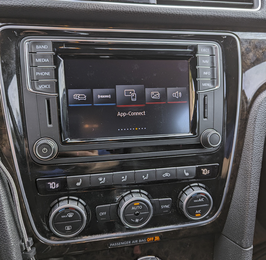
MIB2 PQ Guides
- Canbus Gateway Upgrade (for MIB2 PQ installation)
- VW MIB2 PQ Installation Guide (2010-2014 Golf/GTI/Golf R/Sportwagen)
- Brian's MIB2 PQ, Camera, and Microphone Guide (2015 Passat)
RNS510 / RNS315 / RCD510 Installation Guides
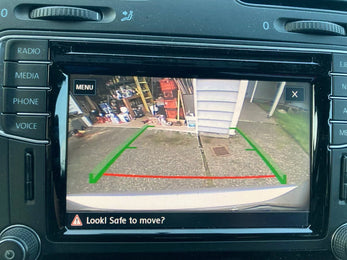
Rear View Camera Guides
- VW MK7 Lowline Camera Guide
- VW MK7 Highline Camera Guide
- EOS Lowline Emblem Camera Guide (RNS and RCD510)
- Beetle Emblem Camera Guide
- MK5/MK6/Passat/CC Lowline Emblem Camera Guide
- MK5/MK6/Passat/CC Highline Emblem Camera Guide (RNS510)
- Jetta/Passat/Tiguan/Sportwagen Trunklid Low Camera Guide (RNS and RCD510)
- Jetta/Passat/Tiguan/Sportwagen Trunklid Low Camera Guide (MIB2 PQ)
- Camera Troubleshooting Guide
Steering Wheel Guides
Miscellaneous VW Guides
Audi
AudiFeatured
Steering Wheel Guides
Miscellaneous Audi Guides
Applicable to All Models
UniversalEZT Shift Knob Guides
If you’re unsure which knob guide applies to your vehicle, check whether your car is manual or DSG/automatic. If you’re still not sure, send us a photo of your shifter and we’ll point you to the correct guide.


10 comments
2015 Passat TDI Highline . Instructions are useless. Connect battery charger, leave car off, no need to press ignition button. Put CD in radio, then hold guide+eject+star at the same time for 10-20secs and release. Should launch within a few minutes.
So for the RNS510, the cd I got was scratched and not burned at a low speed. If anyone is having an issue with a 2015 passat North America update. I recommend getting a CD burner, pay for digital download and burn on a new disc at 1x speed. If you already ordered a disc grab iso and reburn. Hold GUIDE + star + eject without the key. (Open the window so you don’t get stuck in the car) Once it asks for the CD with the red bars put it in and it should load and update. Done properly takes 30 min.
How do I install the firmware CD on GTI mk7
I recently received RNS-510 v5382 firmware update disc for my 2014 Passat Sel 1.8L Part # 3C0035684L. The “Qr” scan took me to installing a RNS-510. I returned to the page with the 5382 firmware, where the only instructions were to “HOLD DOWN THE STAR, SUN & GUIDE BUTTONS TOGETHER” to enter “SWL” mode. Here’s the problem; I don’t have a “Sun” button.
The drive does have “< & > arrows”, “eject” and “Star “buttons. Please send me the correct procedure for my car, thanks
V. Price
p.s. current ver. 5374
I just received my firmware update cd for my 2014 vw passat. On the invoice there is a qr code that says guide to install it. This is where it brought me and I am not seeing the guide on how to install the firmware cd.
Thank you
Leave a comment