


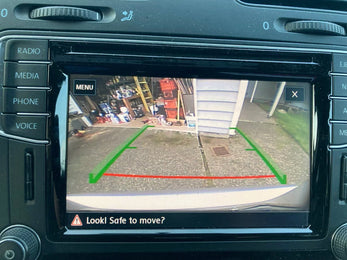
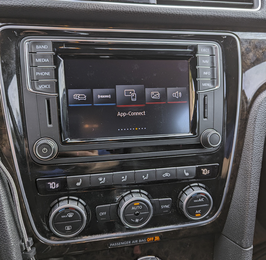


Add smartphone maps to the Q5 you already drive. You keep the original screen, dashboard and factory menus.
A first-generation Q5 can have MMI or a basic radio. Later Q5s use a different MIB interface. Select the radio from the version screen and console layout.
| Vehicle | Model years | Factory system / fitment check |
|---|---|---|
| Audi Q5 | 2009–2017 | First-generation Q5. Match the BNav, HNav or HN+ MMI system, or select the basic-radio configuration. Select “2009–2017 BNav / HNav / HN+” or “2009–2017 basic radio”. |
| Audi Q5 | 2018–2019 | Q5 with MIB DEV/CLU. Verify the original controller, screen and software. Select “2018–2019 MIB DEV/CLU”. |
The basic-radio kit includes a ribbon-cable adapter board that must be fitted during installation. Look at the board-installation photos before choosing a DIY install.
Need a fitment check? Email your year, make, model and a photo of the factory menu, radio face and controls around the shifter. Contact Eurozone Tuning.
View the installation guides and wiring diagrams for this kit.
Email support@eurozonetuning.com with your order number, photos or video, mileage since installation and a description of the issue. Keep the product and proof of purchase. Contact us before returning parts.
Coverage is generally for the original purchaser and is subject to inspection and the applicable warranty terms. Normal wear, improper installation, misuse, modifications and racing are commonly excluded. Labor, installation, shipping and related expenses are not covered unless expressly included in the applicable policy.
Mixed-brand kits follow each component manufacturer’s warranty; they do not automatically receive the EZT-branded kit warranty. Product-specific terms, purchase date and region control. This summary does not limit rights provided by applicable law. For brands not listed, contact us for the relevant terms.